HeadshotQueue — headshot session management for professional photographers
A web-based platform that automates high-volume headshot sessions end to end — QR code self-registration, live queue, automatic photo matching, and private gallery delivery. No spreadsheets, no chasing clients.
Try HeadshotQueue →Run a 200-person headshot day alone. QR check-in, live queue, auto photo matching, and private gallery delivery — all in one tool.
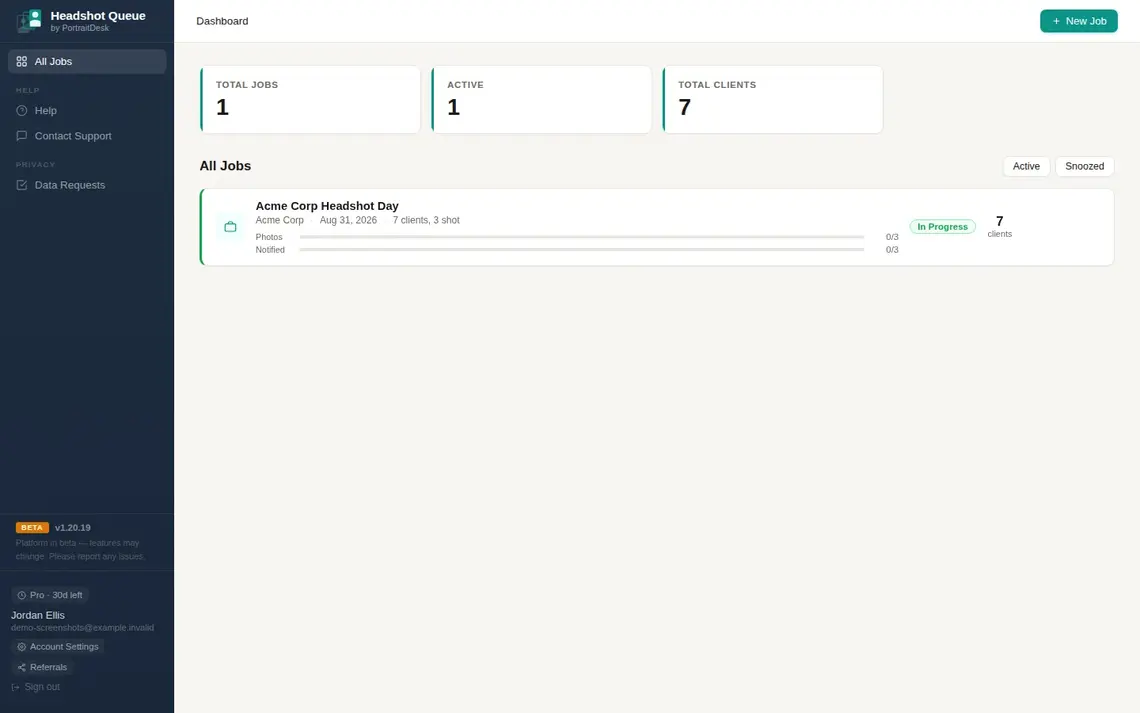
All your jobs in one place — status at a glance
The dashboard shows every active job with client count, photos uploaded, notifications sent, and session status. Create a new job in seconds — HeadshotQueue guides you through setup with a step-by-step checklist.
- Live job status: In Progress, Snoozed, Complete
- Photos and notifications progress per job
- Step-by-step job checklist for new photographers
- One-click QR code for client self-registration
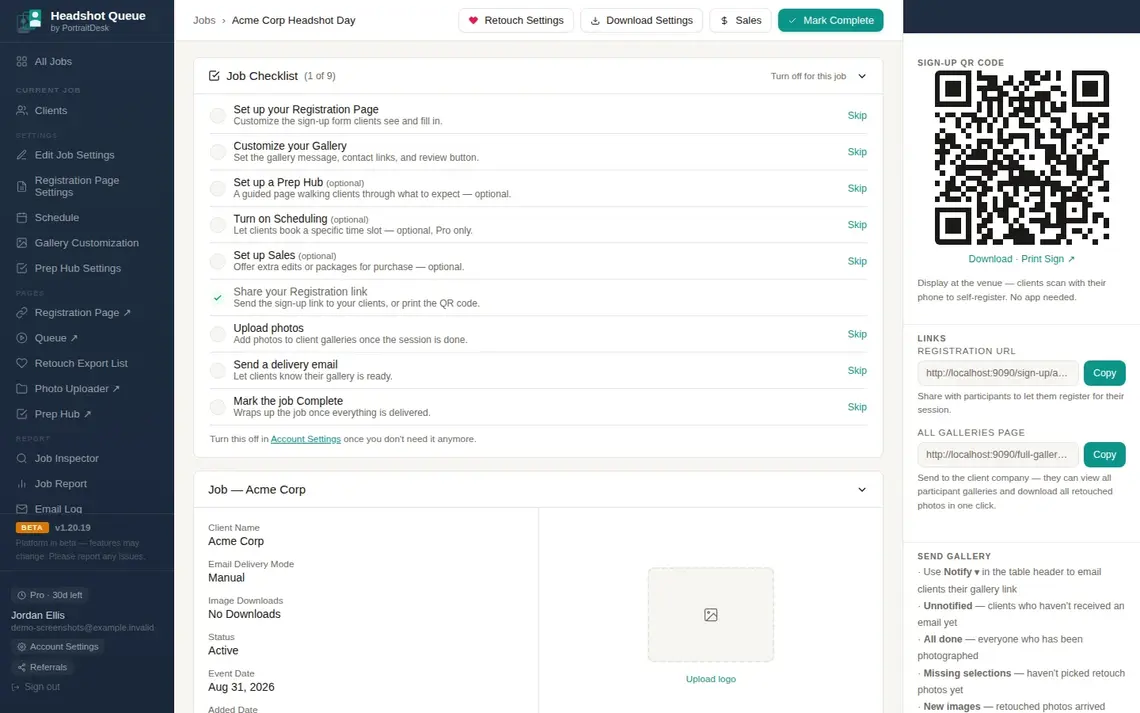
Job settings, QR code, and gallery customisation — all in one page
The job page gives you every control in one place: registration page settings, gallery customisation, Prep Hub, schedule, sales, and the sign-up QR code ready to print and display at the venue.
- Sign-up QR code — clients register themselves, no app needed
- Registration page fully customisable per job
- Gallery message, contact links, and review button
- 9-step checklist guides you from setup to delivery
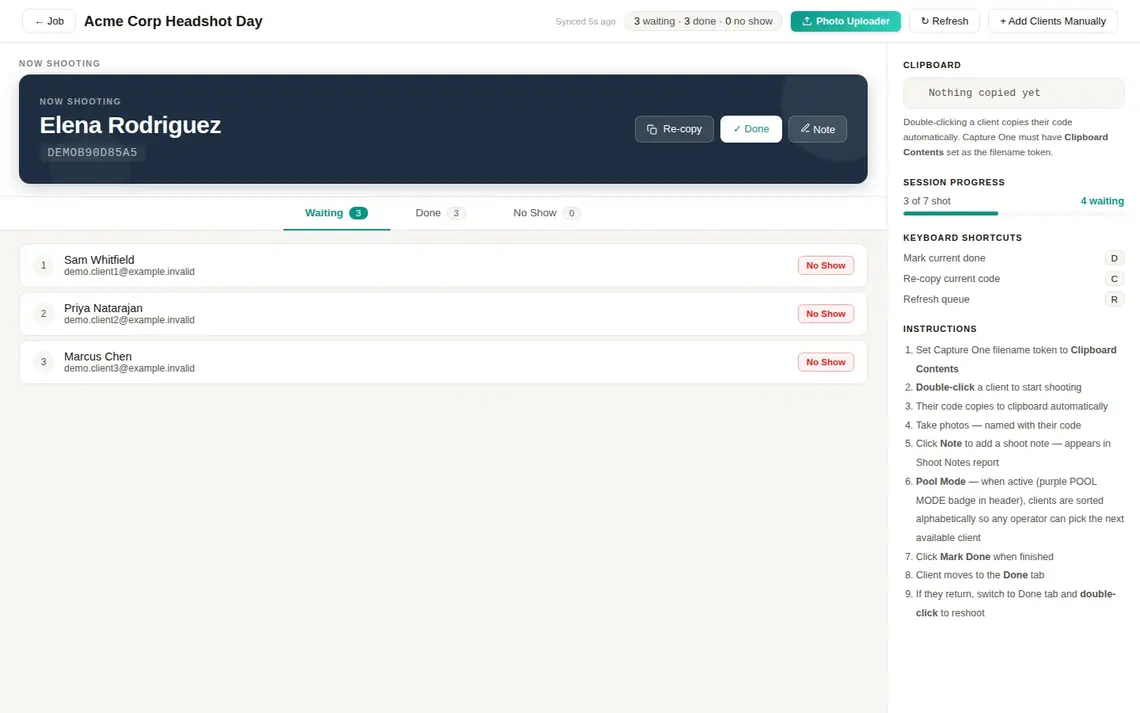
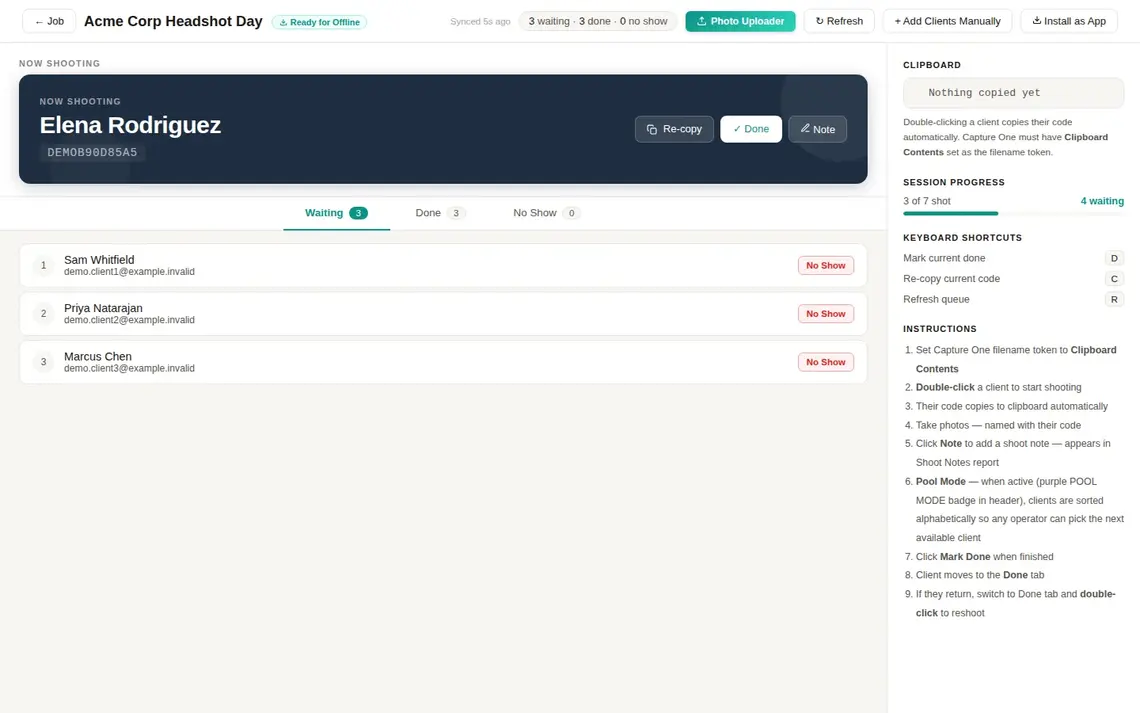
Live queue — double-click to shoot, clipboard code auto-copies
The queue page is your command centre on shoot day. The current client is shown prominently with their unique code. Double-click anyone to start shooting — the code copies to clipboard instantly for Capture One's filename token.
- Current client shown large with filename code
- Code copies to clipboard on double-click automatically
- Keyboard shortcuts: D = done, C = re-copy, R = refresh
- Pool Mode for multi-station shoots — alphabetical sorting
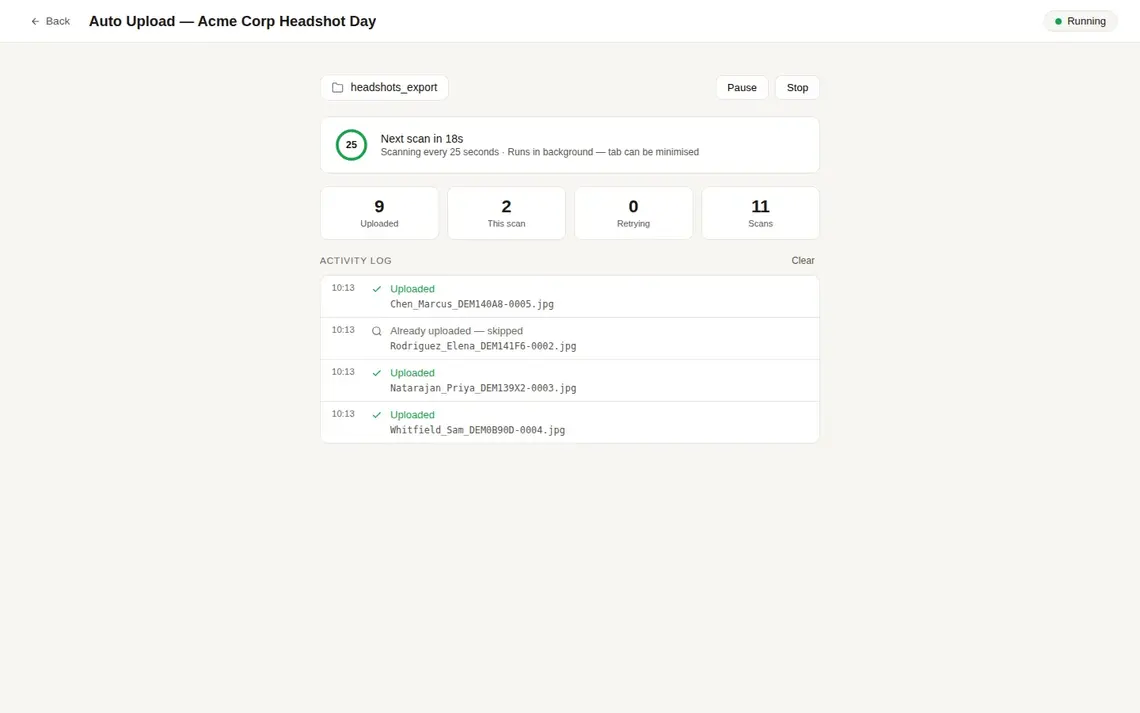
Auto photo uploader — watches your export folder in the background
Point the Photo Uploader at your Capture One export folder. It scans every 25 seconds, reads filenames, matches photos to clients automatically, and uploads them — while you keep shooting. The tab can stay minimised.
- Watches a local folder, uploads new files automatically
- Matches photos to clients via filename code
- Skips duplicates, retries failures, logs every action
- Runs in the browser tab — can be minimised
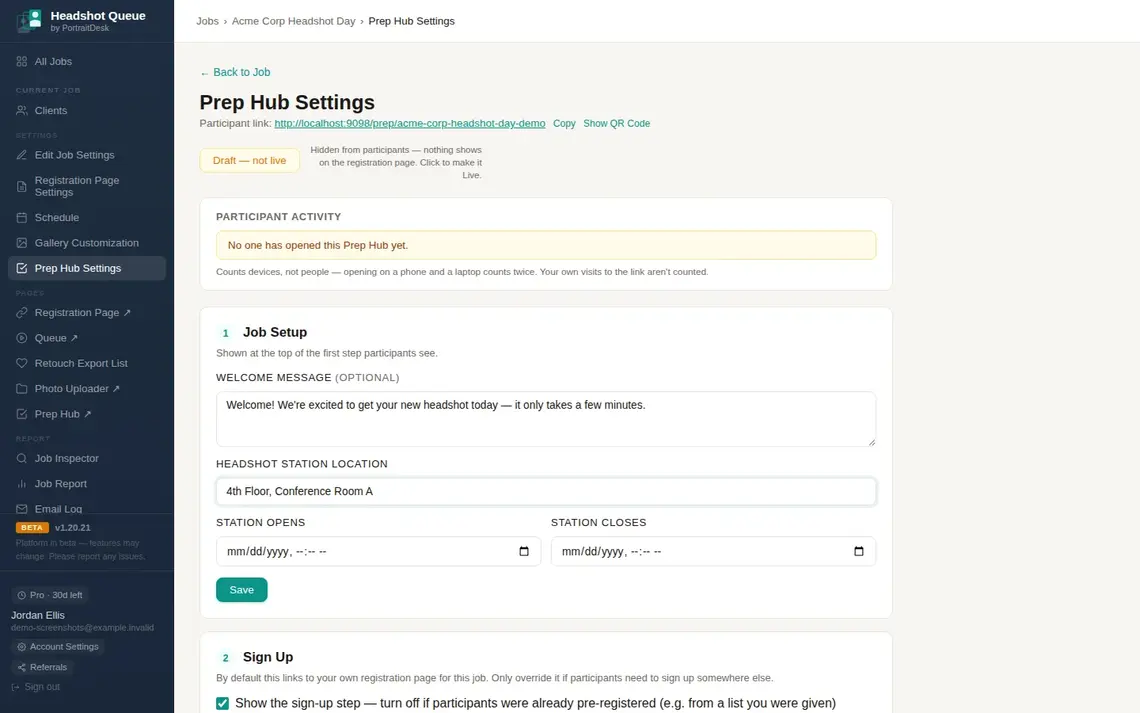
Prep Hub — a branded briefing page clients see before they arrive
The Prep Hub is a guided page you share with participants before the shoot. It walks them through what to expect, where to go, and what to wear — reducing no-shows and on-site questions significantly.
- Customisable welcome message and location details
- Station open/close times displayed to participants
- Sign-up step embedded or linked from the Prep Hub
- Participant activity tracked — see how many opened it
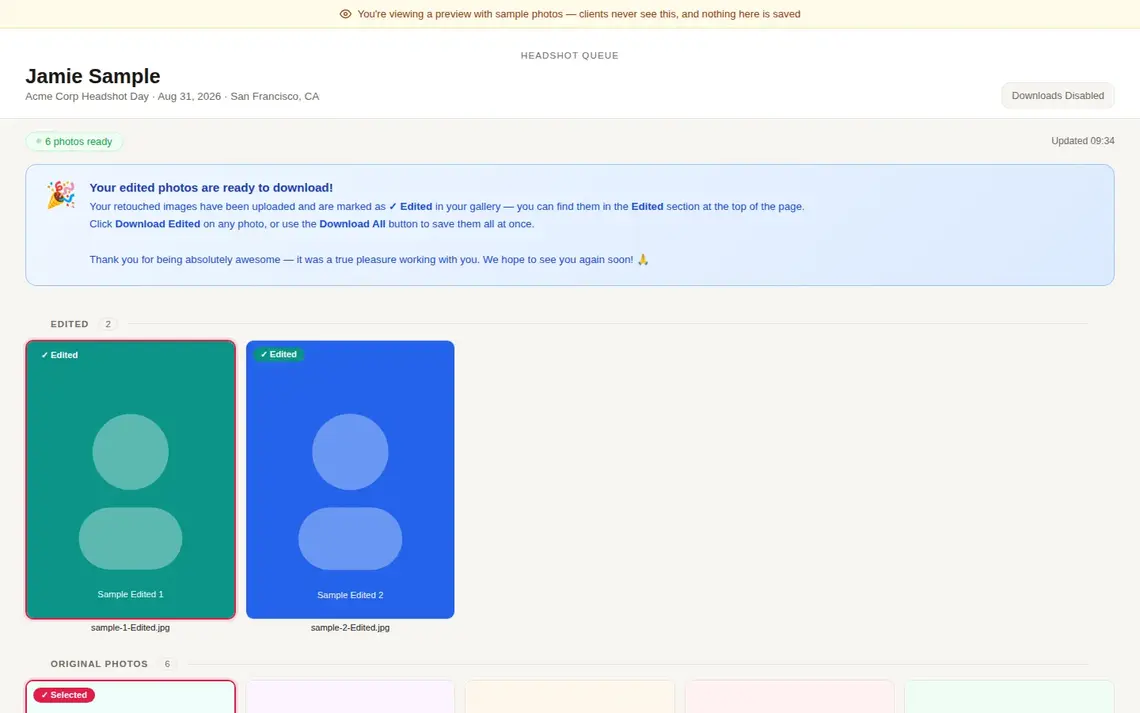
Private client gallery — retouched photos delivered by link
Each client gets a private gallery link by email. Retouched photos are marked clearly and appear at the top. Clients select their favourites, download all edited shots at once, and optionally leave a review.
- Retouched photos surfaced prominently with ✓ Edited badge
- Download All button for all retouched in one click
- Client picks favourite selects for retoucher
- Custom gallery message and contact links per job
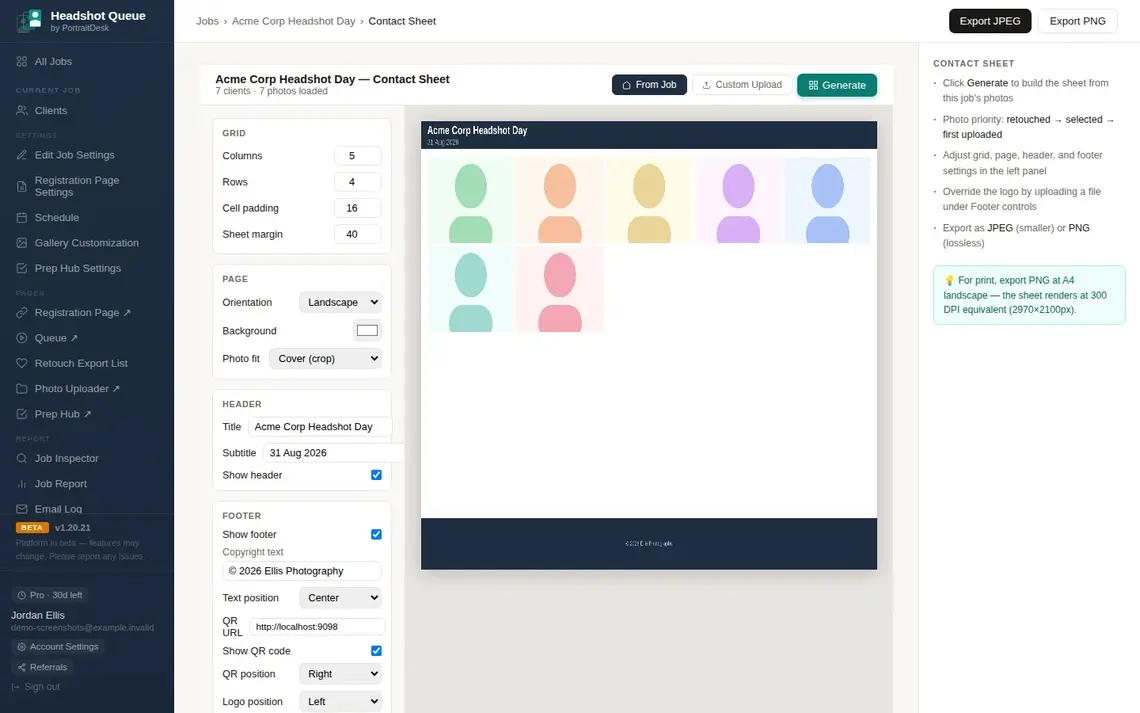
Contact sheet — export a print-ready grid of all session photos
Generate a contact sheet from the job's photos with configurable grid, page orientation, header, and footer. Export as JPEG or lossless PNG at 300 DPI equivalent — ready to share with the client company or retoucher.
- Configurable columns, rows, padding and margin
- Header with job title and date; footer with copyright and QR
- Photo priority: retouched → selected → first uploaded
- Export PNG at A4 landscape, 2970×2100px (300 DPI)
Every screen
Built for shoot day — and the days after
From the live queue on shoot day to gallery delivery the day after, HeadshotQueue handles the whole workflow.
Built for photographers who shoot volume
HeadshotQueue is purpose-built for high-volume corporate headshot sessions. If you're managing more than 20 people a day with a spreadsheet, this is the tool that replaces it.
Corporate headshot photographers
Run a 50–500 person headshot day alone. The queue, QR check-in, and auto uploader mean you focus entirely on shooting.
Conference and event photographers
Pool Mode supports multi-station shoots — each operator picks the next available client, no coordination required.
Studios offering headshot days
White-label with your studio name. Clients register, queue, and receive galleries under your brand — HeadshotQueue stays invisible.
PortraitDesk products
Ready to run headshot days without the spreadsheet?
HeadshotQueue is free to start. Pro unlocks scheduling, sales, white-label branding, and more. No credit card needed to try it.